
Setup (iOS)
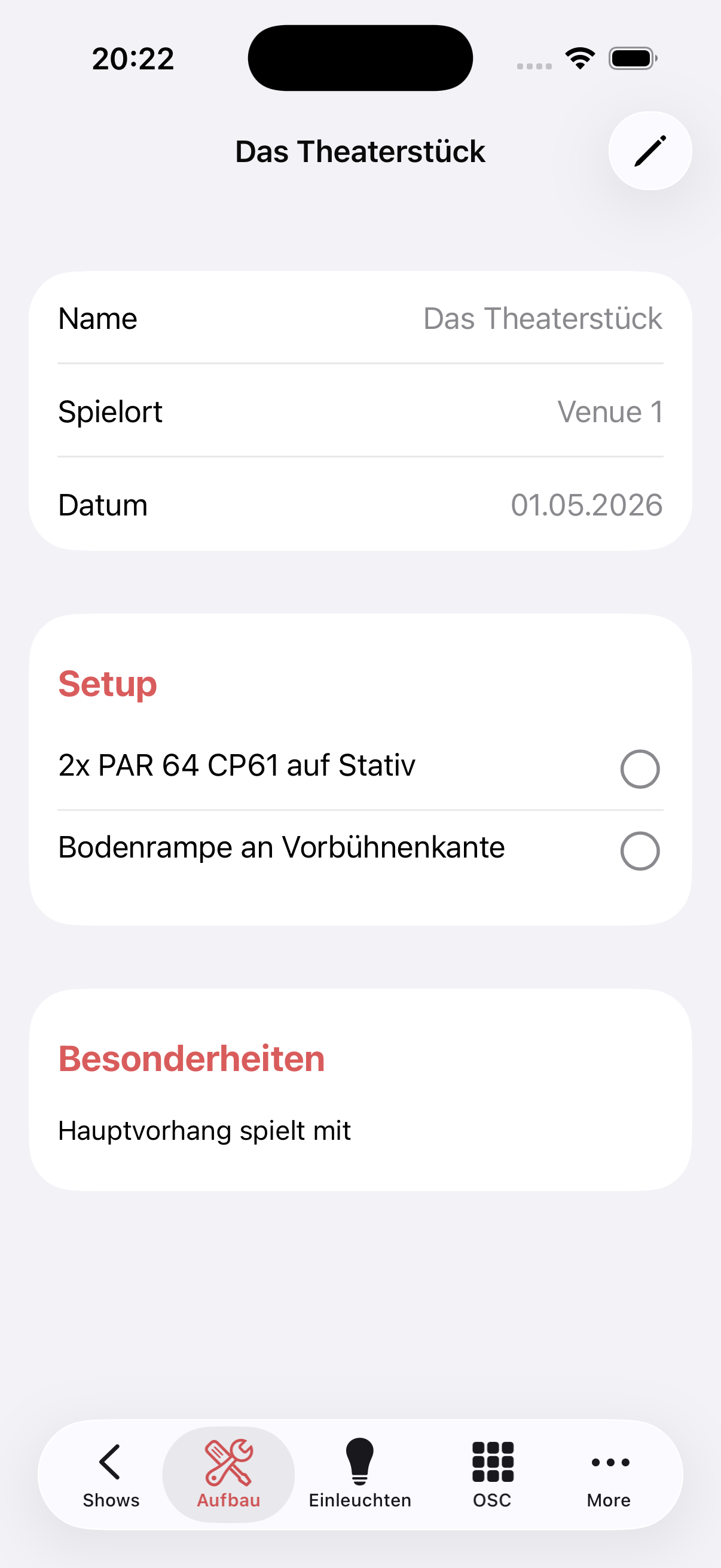
The Setup tab displays the show-specific metadata and the setup checklist for the production.
Metadata
At the top, the name, venue and date of the show are displayed. The pencil button in the top right opens edit mode.
Setup checklist
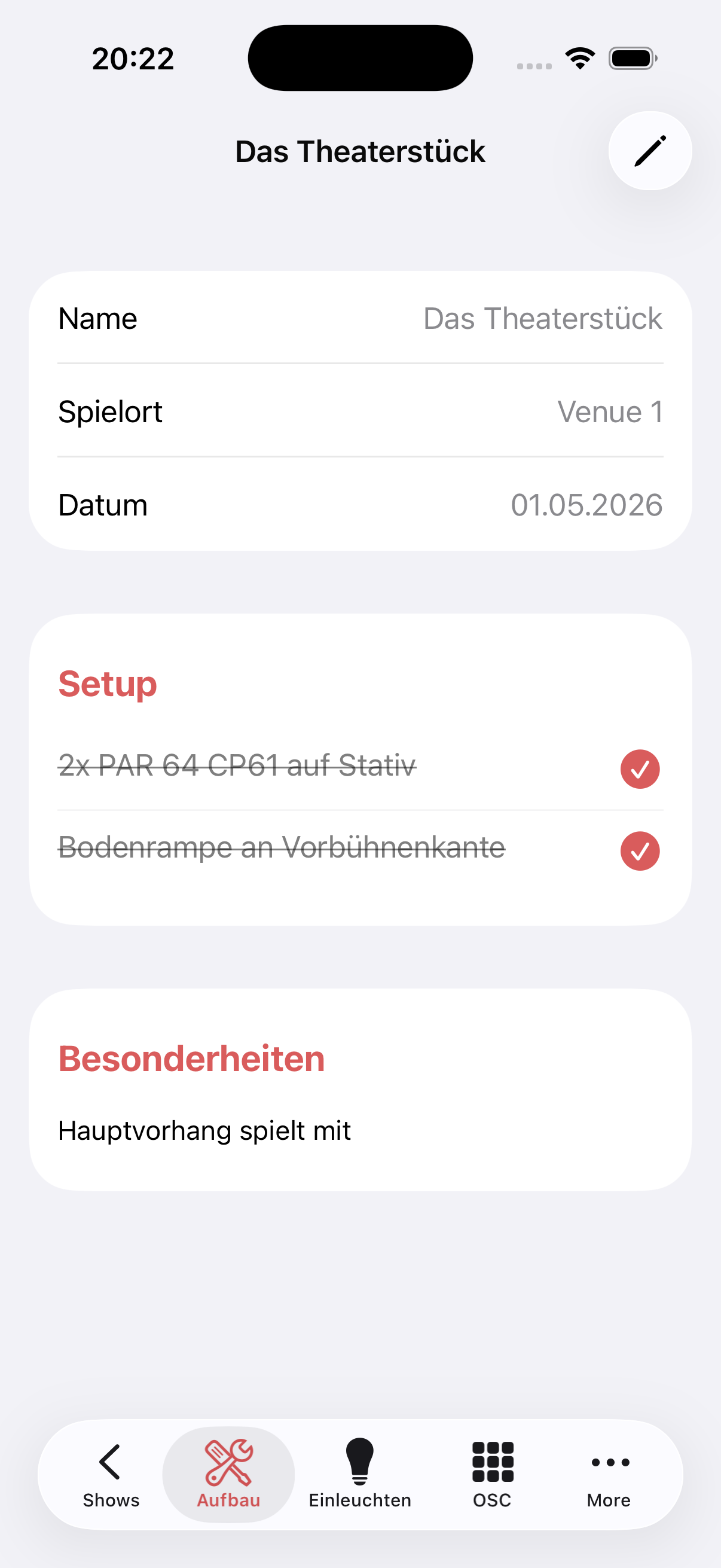
Under Setup, all setup steps for the show are listed (e.g. "2x PAR 64 CP61 on stand", "Floor strip at downstage edge"). Each step can be marked as done by tapping it — the text is then shown with a strikethrough.
Special notes
Under Special notes, free-text notes about the show appear, e.g. special procedures or notes for the team (e.g. "Main curtain is used as scenery").
TIP
The setup checklist and special notes are maintained in the web app in the Info tab and are then available in the iOS app.
Editing
Long-press a note to edit, dictate or delete it. Long-press a section title to add a note, rename or delete the section. Add section creates a new one. See Editing in the apps.