
Shows (iOS)
The Shows tab is the home screen of the app. It lists all existing shows as tiles, grouped by venue.
Shows overview
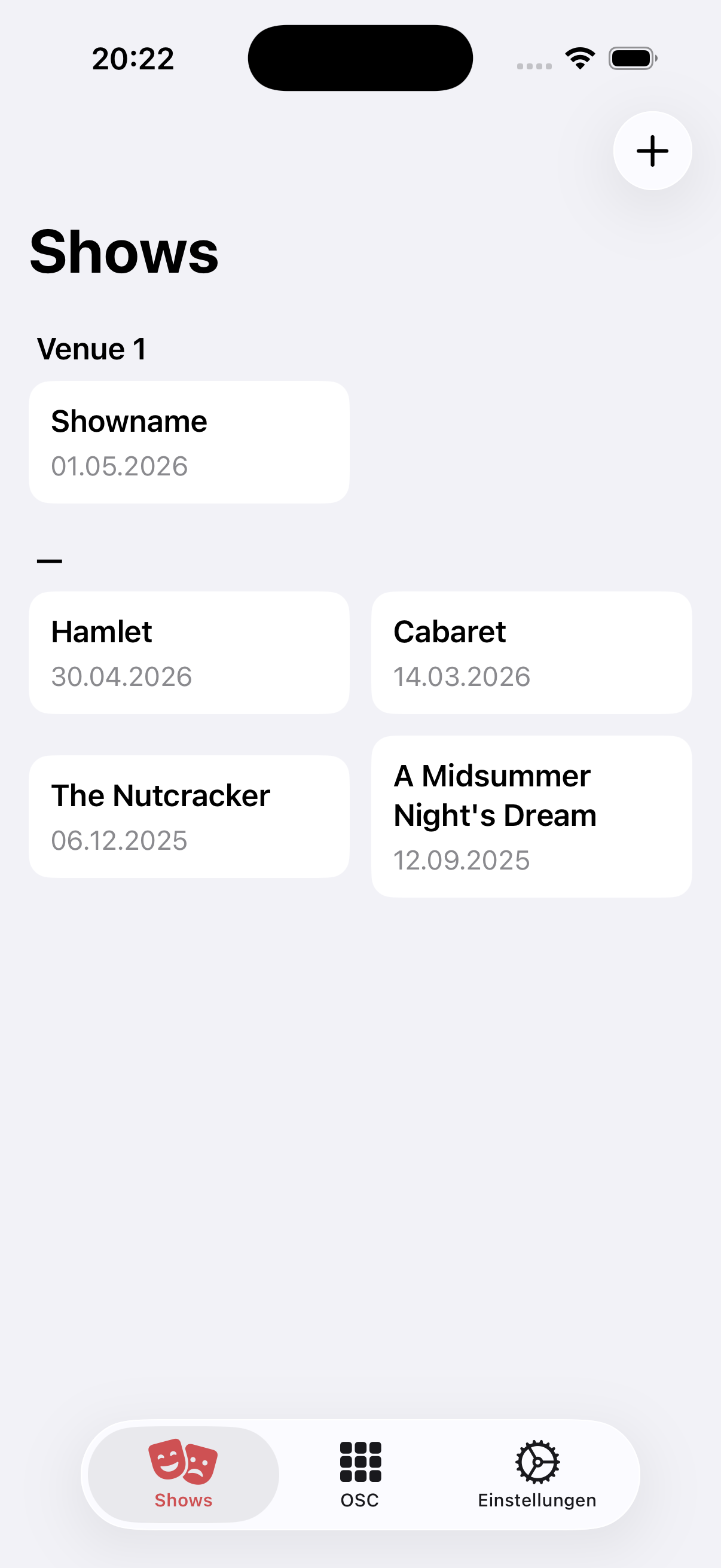
Each tile contains the show name and the date of the production. Shows without an assigned venue appear below a separator line; shows with a venue are grouped under the respective venue name as a heading (e.g. "Venue 1").
Tapping a tile opens the show directly in the Setup tab.
Create a new show
- Tap the + button in the top right
- Enter show name, date and (optionally) venue in the dialog
- Confirm — the show appears immediately in the list
TIP
If a venue is selected, the new show automatically inherits the channel structure and drawing of the chosen venue.
Editing
+ starts a wizard to create a show. Long-press a tile to edit the show details or archive the show. See Editing in the apps.